


Automated invoice processing
CONTINIA DOCUMENT CAPTURE OCR
Get home on time with the next level of invoice automation – Continia Document Capture OCR. Eliminate manual financial processes and boost your company’s efficiency. NAV Online Invoice integration is also available.

01
Where does your time go?
Manual processing of supplier invoices is, to put it mildly, exhausting and time-consuming. Data extraction and manual data entry lead to errors and reduce efficiency. You may often find yourself working overtime just to prevent the pile of invoices on your desk from growing.
02
Choose Document Capture.
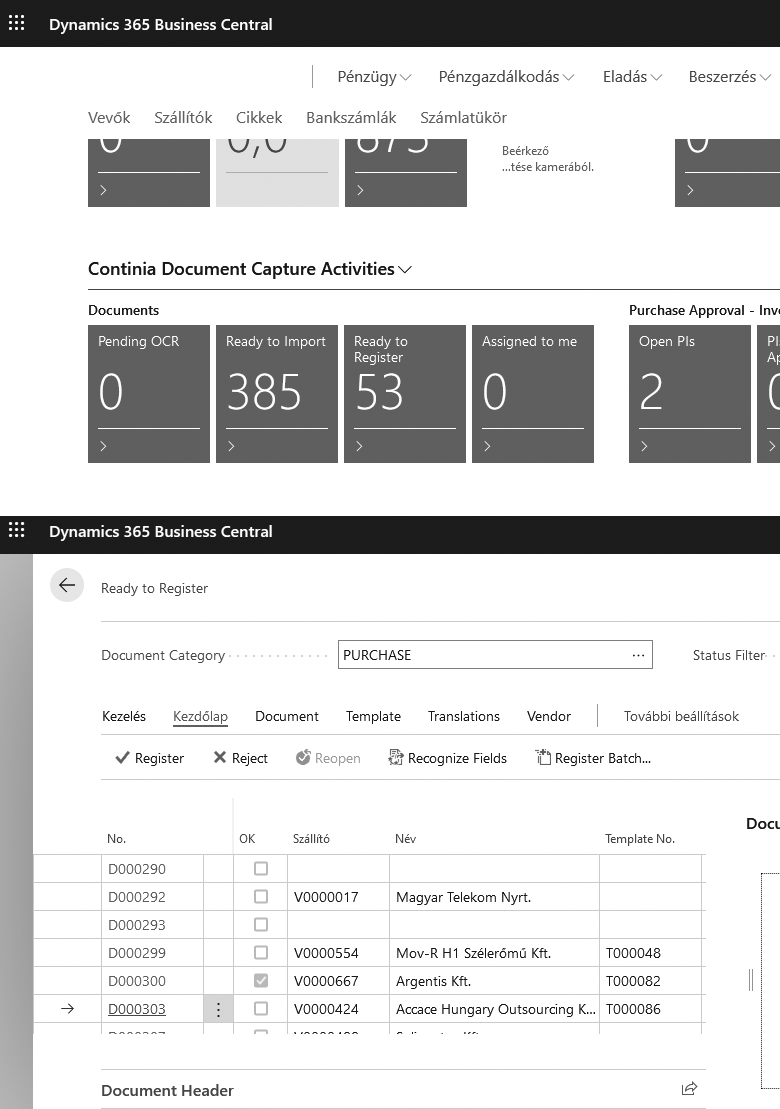
With Continia Document Capture OCR, every step of the purchase invoice processing workflow can be automated. This means that from document import to posting, it really takes just a few clicks—allowing you to get home on time, every day.
03
NAV Online Invoice integration
Documents received from the NAV Online Invoice system are automatically matched with invoices processed in Continia. This means that in Business Central, every invoice appears in real time without manual matching—making invoice processing even faster and more error-free.
Key benefits and features of Continia Document Capture OCR

Our client’s opinion on the Continia Document Capture OCR solution
"It makes our work much easier. Compared to our previous manual invoice processing, we now process invoices in a fraction of the time. The supplier-specific template setup is extremely useful, as it allows us to customize the processing workflow for each supplier individually.
I would also highlight that after processing the very first invoice, the system learns the invoice layout, so from the second identical invoice onwards, everything is recognized automatically. With the DC module, fully automated posting becomes possible. After scanning, it requires virtually no human intervention for an invoice to be posted. All settings are highly configurable, and the support from Loginform is outstanding."
István Nemecz
Managing Director
Accace Hungary Ltd.
5 ways to save time
with Continia Document Capture OCR

-
Invoices and other documents are captured directly in Microsoft Dynamics 365 Business Central
-
Purchase invoices can be automatically matched with existing purchase orders
-
Drag and drop any document directly into Microsoft Dynamics 365 Business Central
-
Find invoices quickly and easily using the indexed full-text search
-
Real-time invoice approval
No matter where you are, you always have up-to-date information on the approval status of your documents.
In addition, Loginform’s own development is now available: the NAV Online Invoice – Continia DC Connector module allows documents downloaded from the NAV system to be automatically linked with invoices processed in Continia DC. This way, both the online invoice report and the DC register clearly show whether a document has already been recorded in the system.
Contact our experts!
If you feel there is still untapped time-saving potential in your incoming document processing or would like to free up your team from data entry to focus on higher-value tasks without overtime, contact our experts.